


Bombilla LED inteligente de 60 W, reemplaza A19/A60, se conecta a WiFi, se controla con voz o aplicación, se activa con Motion Matter.
SPECIFICATIONS
Average Life (hrs): 50000
Base Type: E27
Brand Name: SUIDHOME
Certification: ce,EMC,FCC,LVD,ROHS,RoHS,LVD,FCC,EMC,CE
Choice: yes
Color Temperature: 2700K~6500K
High-concerned chemical: None
Is Smart Device: Yes
Item Type: LED bulbs
LED Chip Model: SMD5050
Led Bulb Type: Bubble Ball Bulb
Luminous Flux: 2000-82000,1000 - 1999 Lumens
Model Number: A19/A60
Occasion: LIVING ROOM
Origin: Mainland China
Power Source: AC
Shape: Globe
Voltage: 120V
1 * smart bulb;
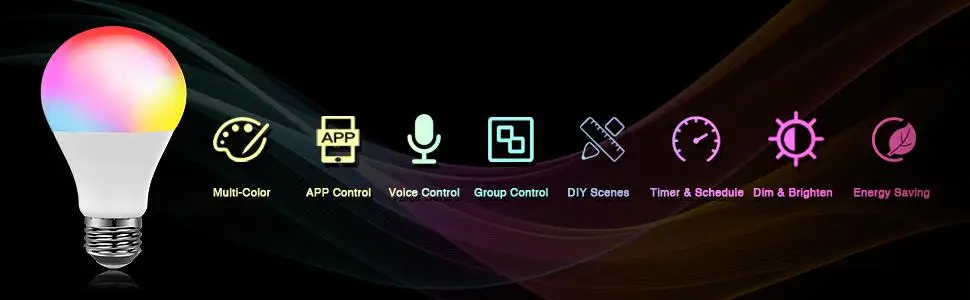
Over 16 million colors about our smart bulb;
App connecting: power “on-off-on-off-on” 3 times to enter flash mode;
Scene customization: make every a different experience with 8 scenes;
Power memory: initial default & last used color and brightness, also can customize it;
Energy-saving: RGBCW led bulb saves over 80% energy;
WiFi network: 2.4Ghz (only).
 Alexa Smart Light Bulb
 How the smart bulb to connect my wifi ?
1) Make sure the bulb is powered on and the connected network is 2.4Ghz only
2) Switch smart bulbs on/off for 3 times (pls wait 1 or 2 second for each switch) to enter EZ Mode, you will find the smart bulb flashes quickly
If the smart light bulb flashes slowly, choose AP mode. Details pls refer to our AP mode connection video
3) Click "+" to add device, select the Lighting (Wi-Fi) to connect
4)Select a Wi-Fi network and enter the password of the network
Troubleshooting:
If your router is dual-band, ensure that 2.4G and 5G networks have different network names - SSID. (2.4G Only)
For the first connection, ensure that the smart phone and the smart bulb are in the same Wi-Fi environment, and the Wi-Fi connection distance is 50ft. Near the bulb to your phone while connecting.
If steps failed, please unscrew the bulbs and follow the APP connection steps to reconnect it.